

Chrome DevTools
Improve your website performance, debugging process, and front-end development workflow with professional Chrome DevTools expertise. I use Chrome DevTools to analyze, debug, optimize, and maintain websites for better performance, responsiveness, and user experience.
Whether you are working on WordPress, Shopify, custom websites, or modern web applications, Chrome DevTools helps identify issues quickly and improve development efficiency.
Why Chrome DevTools is Important
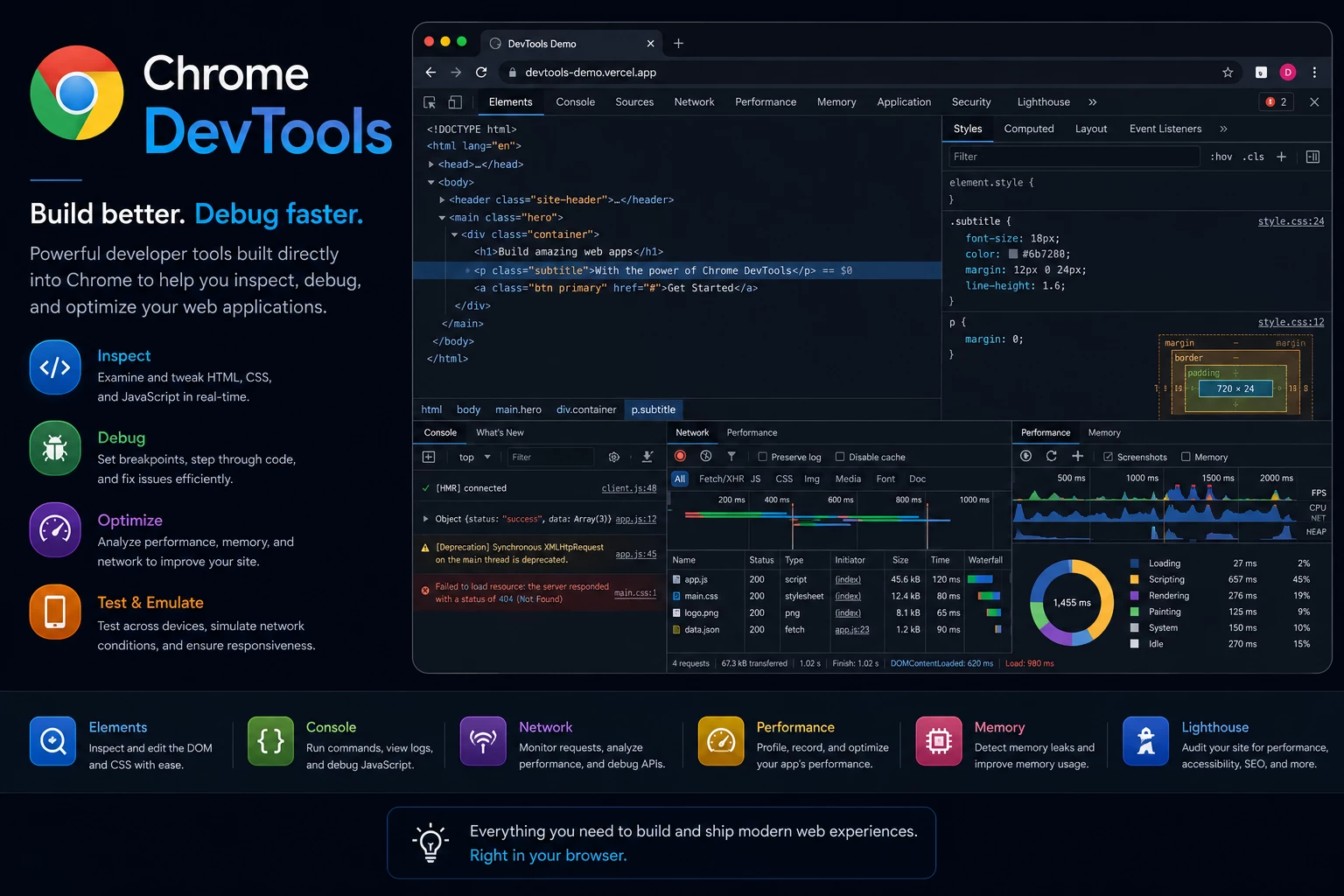
Chrome DevTools is one of the most powerful browser-based development and debugging tools used by modern web developers. It allows developers to inspect elements, debug code, analyze website performance, monitor network activity, and optimize user experience directly inside the browser.
Using Chrome DevTools properly helps improve website quality, reduce development time, and create faster and more responsive websites.
My Chrome DevTools Services
1. Front-End Debugging
I use Chrome DevTools to inspect layouts, fix CSS issues, troubleshoot JavaScript errors, and improve front-end functionality.
2. Responsive Design Testing
I test websites across different screen sizes and devices to ensure responsive and mobile-friendly performance.
3. Website Performance Analysis
I analyze loading speed, Core Web Vitals, rendering performance, and resource optimization to improve website speed and user experience.
4. Network & API Monitoring
I monitor API requests, server responses, AJAX calls, and network performance to identify issues and optimize communication between systems.
5. CSS & Layout Optimization
I debug alignment issues, spacing problems, flexbox layouts, grid systems, and responsive styling for pixel-perfect design implementation.
6. JavaScript Error Troubleshooting
I identify and fix JavaScript console errors, script conflicts, and browser compatibility issues.
7. Accessibility & SEO Testing
I use DevTools auditing features to improve accessibility, SEO structure, and website best practices.
8. Live Editing & Testing
I perform real-time testing and live UI adjustments directly in the browser for faster development and troubleshooting.
Benefits of Using Chrome DevTools
- Faster debugging and issue resolution
- Better website performance optimization
- Improved responsive design testing
- Easier front-end troubleshooting
- Enhanced website speed and Core Web Vitals
- Better browser compatibility testing
- Improved SEO and accessibility analysis
- More efficient development workflow
My Workflow Process
- Analyze website structure and performance
- Inspect front-end layouts and functionality
- Identify performance and debugging issues
- Optimize CSS, JavaScript, and network performance
- Test responsiveness and browser compatibility
- Improve accessibility and SEO factors
- Deliver a stable and optimized website experience
Technologies & Tools
I work with Chrome DevTools, Lighthouse, HTML5, CSS3, JavaScript, WordPress, Shopify, APIs, responsive frameworks, and modern front-end development tools to optimize and maintain high-quality websites.
Let’s Optimize Your Website Performance
If your website has performance issues, layout problems, JavaScript errors, or responsiveness challenges, I can help analyze and optimize it using Chrome DevTools. My focus is on improving website quality, user experience, speed, and development efficiency for long-term success.